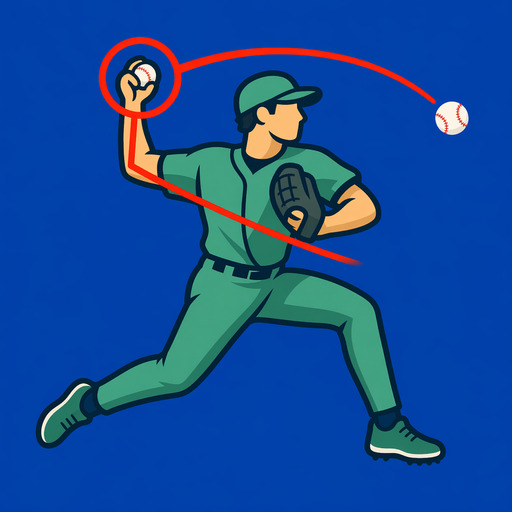
How to analyze a baseball swing video on iPhone.
Analyze a baseball swing video on iPhone in seven practical steps: record a useful angle, review key phases, draw checkpoints, compare clips, and export.
Read the guideAnalyze baseball movement from a phone video by choosing a repeatable camera view, finding the same phase, and marking one visible checkpoint. These developer-written guides show hitting and pitching review with BaseballDraw for iPhone and iPad, a $7.99 one-time purchase. Video review does not measure pitch speed, bat speed, spin, or injury risk.
| Your task | Start here | Useful output |
|---|---|---|
| Review a hitter’s movement | Seven-step swing review | One marked checkpoint with the drill and camera view recorded. |
| Review a pitcher’s delivery | Pitching video review | Foot-strike and release-neighborhood frames to discuss with a coach. |
| Find apparent release position | Release-point guide | The last ball-in-hand frame and first separated frame, when visible. |
| Record something comparable | Hitting camera setup or pitching camera setup | A steady, full-action recording from the same position each session. |
| Choose software or measurement hardware | Compare review, coaching, and measurement workflows | A tool selected for the job rather than an unsupported “AI” claim. |
These pages explain camera-aware visual review. They are written by David Balderston, BaseballDraw’s developer, and do not establish that a movement is correct or medically safe. Product facts and limitations.
Analyze a baseball swing video on iPhone in seven practical steps: record a useful angle, review key phases, draw checkpoints, compare clips, and export.
Read the guideReview baseball pitching mechanics on iPhone with a repeatable workflow for balance, stride, trunk position, arm slot, release, and follow-through.
Read the guideSet up an iPhone to record baseball hitting video with consistent angle, height, framing, light, frame rate, and safety for later swing analysis.
Read the guideDraw useful lines, circles, arrows, and angle guides on baseball hitting or pitching video without cluttering the frame or overclaiming the result.
Read the guideCompare two baseball swing videos on iPhone by matching camera angle, framing, intent, and movement phase before judging what changed.
Read the guideReview a baseball pitcher’s visible release frame on iPhone with slow motion, pose overlays, annotations, and side-by-side comparison—without radar-style claims.
Read the guideUse slow motion and frame-by-frame review on iPhone to study baseball hitting and pitching phases without confusing playback speed with measurement.
Read the guideSend a baseball hitting or pitching video to a coach with the camera view, context, marked frame, and focused question needed for useful feedback.
Read the guideTurn baseball clips into a useful practice journal with tags, favorites, notes, drill context, comparisons, and a small set of representative reps.
Read the guideReview visible baseball swing-path cues on iPhone with video, lines, phase alignment, and camera-aware comparisons without claiming 3D bat tracking.
Read the guideA camera-aware checklist for reviewing baseball hitting mechanics video: setup, load, stride, posture, contact, extension, and finish.
Read the guideA practical video checklist for reviewing visible baseball pitching mechanics from balance through foot strike, release, and follow-through.
Read the guideFilm a baseball pitcher on iPhone with safe camera placement, side and rear views, full-body framing, slow motion, and consistent setup for bullpen comparisons.
Read the guideHow baseball parents can record, review, and share a youth player’s swing or pitching video on iPhone without overcoaching or making claims video cannot support.
Read the guide